Triangle mesh for 3D objects in HTML5
Today’s lesson is a bridge between two-dimensional graphics in html5 and truly three-dimensional (using WebGL). Today I will show how to draw three-dimensional objects using a polygonal mesh. A polygon mesh or unstructured grid is a collection of vertices, edges and faces that defines the shape of a polyhedral object in 3D computer graphics and solid modeling. The faces usually consist of triangles, quadrilaterals or other simple convex polygons, since this simplifies rendering, but may also be composed of more general concave polygons, or polygons with holes.
In order to understand what it is about, I recommend to read the basis described in wikipedia.
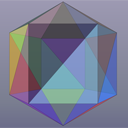
To demonstrate, we have prepared simple three-dimensional objects – a cube and multi-dimensional sphere (with a variable number of faces).
Live Demo
download in package
If you are ready – let’s start!
Step 1. HTML
As usual (for all canvas-based demos) we have a very basic html markup (with a single canvas object inside):
<html lang="en" >
    <head>
        <meta charset="utf-8" />
        <meta name="author" content="Script Tutorials" />
        <title>Triangle mesh for 3D objects in HTML5 | Script Tutorials</title>

        <!-- add styles -->
        <link href="css/main.css" rel="stylesheet" type="text/css" />

        <!-- add script -->
        <script src="js/meshes.js"></script>
        <script src="js/transform.js"></script>
        <script>
            //var obj = new cube();
            //var obj = new sphere(6);
            var obj = new sphere(16);
        </script>
        <script src="js/main.js"></script>
    </head>
    <body>
        <div class="container">
            <canvas id="scene" height="500" width="700" tabindex="1"></canvas>
            <div class="hint">Please use Up / Down keys to change opacity</div>
        </div>
    </body>
</html>
I extracted a generated object initialization here, look:
    <script>
        //var obj = new cube();
        //var obj = new sphere(6);
        var obj = new sphere(16);
    </script>
It means that if we need to display a cube – you have to uncomment the first one line, if you’d like to display a sphere with 6 faces – select the second variant.
Step 2. JS
There are three JS files (main.js, meshes.js and transform.js), we will publish two of them, third one (transform.js) contains only math-related functions (to rotate, scale, translate and project objects). It will be available in our package. So, let’s review the code of the first javascript:
js/meshes.js
// get random color
function getRandomColor() {
    var letters = '0123456789ABCDEF'.split('');
    var color = '#';
    for (var i = 0; i < 6; i++ ) {
        color += letters[Math.round(Math.random() * 15)];
    }
    return color;
}

// prepare object
function prepareObject(o) {
    o.colors = new Array();

    // prepare normals
    o.normals = new Array();
    for (var i = 0; i < o.faces.length; i++) {
        o.normals[i] = [0, 0, 0];

        o.colors[i] = getRandomColor();
    }

    // prepare centers: calculate max positions
    o.center = [0, 0, 0];
    for (var i = 0; i < o.points.length; i++) {
        o.center[0] += o.points[i][0];
        o.center[1] += o.points[i][1];
        o.center[2] += o.points[i][2];
    }

    // prepare distances
    o.distances = new Array();
    for (var i = 1; i < o.points.length; i++) {
        o.distances[i] = 0;
    }

    // calculate average center positions
    o.points_number = o.points.length;
    o.center[0] = o.center[0] / (o.points_number - 1);
    o.center[1] = o.center[1] / (o.points_number - 1);
    o.center[2] = o.center[2] / (o.points_number - 1);

    o.faces_number = o.faces.length;
    o.axis_x = [1, 0, 0];
    o.axis_y = [0, 1, 0];
    o.axis_z = [0, 0, 1];
}

// Cube object
function cube() {

    // prepare points and faces for cube
    this.points=[
        [0,0,0],
        [100,0,0],
        [100,100,0],
        [0,100,0],
        [0,0,100],
        [100,0,100],
        [100,100,100],
        [0,100,100],
        [50,50,100],
        [50,50,0],
    ];

    this.faces=[
        [0,4,5],
        [0,5,1],
        [1,5,6],
        [1,6,2],
        [2,6,7],
        [2,7,3],
        [3,7,4],
        [3,4,0],
        [8,5,4],
        [8,6,5],
        [8,7,6],
        [8,4,7],
        [9,5,4],
        [9,6,5],
        [9,7,6],
        [9,4,7],
    ];

    prepareObject(this);
}

// Sphere object
function sphere(n) {
    var delta_angle = 2 * Math.PI / n;

    // prepare vertices (points) of sphere
    var vertices = [];
    for (var j = 0; j < n / 2 - 1; j++) {
        for (var i = 0; i < n; i++) {
            vertices[j * n + i] = [];
            vertices[j * n + i][0] = 100 * Math.sin((j + 1) * delta_angle) * Math.cos(i * delta_angle);
            vertices[j * n + i][1] = 100 * Math.cos((j + 1) * delta_angle);
            vertices[j * n + i][2] = 100 * Math.sin((j + 1) * delta_angle) * Math.sin(i * delta_angle);
        }
    }
    vertices[(n / 2 - 1) * n] = [];
    vertices[(n / 2 - 1) * n + 1] = [];

    vertices[(n / 2 - 1) * n][0] = 0;
    vertices[(n / 2 - 1) * n][1] =  100;
    vertices[(n / 2 - 1) * n][2] =  0;

    vertices[(n / 2 - 1) * n + 1][0] = 0;
    vertices[(n / 2 - 1) * n + 1][1] = -100;
    vertices[(n / 2 - 1) * n + 1][2] = 0;

    this.points = vertices;

    // prepare faces
    var faces = [];
    for (var j = 0; j < n / 2 - 2; j++) {
        for (var i = 0; i < n - 1; i++) {
            faces[j * 2 * n + i] = [];
            faces[j * 2 * n + i + n] = [];

            faces[j * 2 * n + i][0] = j * n + i;
            faces[j * 2 * n + i][1] = j * n + i + 1;
            faces[j * 2 * n + i][2] = (j + 1) * n + i + 1;
            faces[j * 2 * n + i + n][0] = j * n + i;
            faces[j * 2 * n + i + n][1] = (j + 1) * n + i + 1;
            faces[j * 2 * n + i + n][2] = (j + 1) * n + i;
        }

        faces[j * 2 * n + n - 1] = [];
        faces[2 * n * (j + 1) - 1] = [];

        faces[j * 2 * n + n - 1  ][0] = (j + 1) * n - 1;
        faces[j * 2 * n + n - 1  ][1] = (j + 1) * n;
        faces[j * 2 * n + n - 1  ][2] = j * n;
        faces[2 * n * (j + 1) - 1][0] = (j + 1) * n - 1;
        faces[2 * n * (j + 1) - 1][1] = j * n + n;
        faces[2 * n * (j + 1) - 1][2] = (j + 2) * n - 1;
    }
    for (var i = 0; i < n - 1; i++) {
        faces[n * (n - 4) + i] = [];
        faces[n * (n - 3) + i] = [];

        faces[n * (n - 4) + i][0] = (n / 2 - 1) * n;
        faces[n * (n - 4) + i][1] = i;
        faces[n * (n - 4) + i][2] = i + 1;
        faces[n * (n - 3) + i][0] = (n / 2 - 1) * n + 1;
        faces[n * (n - 3) + i][1] = (n / 2 - 2) * n + i + 1;
        faces[n * (n - 3) + i][2] = (n / 2 - 2) * n + i;
    }

    faces[n * (n - 3) - 1] = [];
    faces[n * (n - 2) - 1] = [];

    faces[n * (n - 3) - 1][0] = (n / 2 - 1) * n;
    faces[n * (n - 3) - 1][1] = n - 1;
    faces[n * (n - 3) - 1][2] = 0;
    faces[n * (n - 2) - 1][0] = (n / 2 - 1) * n + 1;
    faces[n * (n - 2) - 1][1] = (n / 2 - 2) * n;
    faces[n * (n - 2) - 1][2] = (n / 2 - 2) * n + n - 1;

    this.faces=faces;

    prepareObject(this);
}
In the most beginning, we should prepare all points and faces of our object. There are 2 functions: cube (which generates initial arrays for a simple cube object) and sphere (to generate sphere). As you see – it is much more difficult to calculate all points and faces for multi-dimensional sphere. Once we get all these points and surfaces we have to calculate other params (like normals, distances, absolute center and three axis).
js/main.js
// inner variables
var canvas, ctx;
var vAlpha = 0.5;
var vShiftX = vShiftY = 0;
var distance = -700;
var vMouseSens = 0.05;
var iHalfX, iHalfY;

// initialization
function sceneInit() {
    // prepare canvas and context objects
    canvas = document.getElementById('scene');
    ctx = canvas.getContext('2d');

    iHalfX = canvas.width / 2;
    iHalfY = canvas.height / 2;

    // initial scale and translate
    scaleObj([3, 3, 3], obj);
    translateObj([-obj.center[0], -obj.center[1], -obj.center[2]],obj);
    translateObj([0, 0, -1000], obj);

    // attach event handlers
    document.onkeydown = handleKeydown;
    canvas.onmousemove = handleMousemove;

    // main scene loop
    setInterval(drawScene, 25);
}

// onKeyDown event handler
function handleKeydown(e) {
    kCode = ((e.which) || (e.keyCode));
    switch (kCode) {
        case 38: vAlpha = (vAlpha <= 0.9) ? (vAlpha + 0.1) : vAlpha; break; // Up key
        case 40: vAlpha = (vAlpha >= 0.2) ? (vAlpha - 0.1) : vAlpha; break; // Down key
    }
}

// onMouseMove event handler
function handleMousemove(e) {
    var x = e.pageX - canvas.offsetLeft;
    var y = e.pageY - canvas.offsetTop;

    if ((x > 0) && (x < canvas.width) && (y > 0) && (y < canvas.height)) {
        vShiftY = vMouseSens * (x - iHalfX) / iHalfX;
        vShiftX = vMouseSens * (y - iHalfY) / iHalfY;
    }
}

// draw main scene function
function drawScene() {
    // clear canvas
    ctx.clearRect(0, 0, ctx.canvas.width, ctx.canvas.height);

    // set fill color, stroke color, line width and global alpha
    ctx.strokeStyle = 'rgb(0,0,0)';
    ctx.lineWidth = 0.5;
    ctx.globalAlpha= vAlpha;

    // vertical and horizontal rotate
    var vP1x = getRotationPar([0, 0, -1000], [1, 0, 0], vShiftX);
    var vP2x = getRotationPar([0, 0, 0], [1, 0, 0], vShiftX);
    var vP1y = getRotationPar([0, 0, -1000], [0, 1, 0], vShiftY);
    var vP2y = getRotationPar([0, 0, 0], [0, 1, 0], vShiftY);
    rotateObj(vP1x, vP2x, obj);
    rotateObj(vP1y, vP2y, obj);

    // recalculate distances
    for (var i = 0; i < obj.points_number; i++) {
        obj.distances[i] = Math.pow(obj.points[i][0],2) + Math.pow(obj.points[i][1],2) + Math.pow(obj.points[i][2], 2);
    }

    // prepare array with face triangles (with calculation of max distance for every face)
    var iCnt = 0;
    var aFaceTriangles = new Array();
    for (var i = 0; i < obj.faces_number; i++) {
        var max = obj.distances[obj.faces[i][0]];
        for (var f = 1; f < obj.faces[i].length; f++) {
            if (obj.distances[obj.faces[i][f]] > max)
                max = obj.distances[obj.faces[i][f]];
        }
        aFaceTriangles[iCnt++] = {faceVertex:obj.faces[i], faceColor:obj.colors[i], distance:max};
    }
    aFaceTriangles.sort(sortByDistance);

    // prepare array with projected points
    var aPrjPoints = new Array();
    for (var i = 0; i < obj.points.length; i++) {
        aPrjPoints[i] = project(distance, obj.points[i], iHalfX, iHalfY);
    }

    // draw an object (surfaces)
    for (var i = 0; i < iCnt; i++) {

        ctx.fillStyle = aFaceTriangles[i].faceColor;

        // begin path
        ctx.beginPath();

        // face vertex index
        var iFaceVertex = aFaceTriangles[i].faceVertex;

        // move to initial position
        ctx.moveTo(aPrjPoints[iFaceVertex[0]][0], aPrjPoints[iFaceVertex[0]][1]);

        // and draw three lines (to build a triangle)
        for (var z = 1; z < aFaceTriangles[i].faceVertex.length; z++) {
            ctx.lineTo(aPrjPoints[iFaceVertex[z]][0], aPrjPoints[iFaceVertex[z]][1]);
        }

        // close path, strole and fill a triangle
        ctx.closePath();
        ctx.stroke();
        ctx.fill();
    }
}

// sort function
function sortByDistance(x, y) {
    return (y.distance - x.distance);
}

// initialization
if (window.attachEvent) {
    window.attachEvent('onload', sceneInit);
} else {
    if (window.onload) {
        var curronload = window.onload;
        var newonload = function() {
            curronload();
            sceneInit();
        };
        window.onload = newonload;
    } else {
        window.onload = sceneInit;
    }
}
Well, it’s the time to back to our main page functionality. As soon as the page is loaded, we do main initialization (sceneInit function). We create canvas and context objects, then we perform initial scale and translate of our object which we created in the most beginning (cube or sphere). Then we attach onkeydown and onmousemove event handlers and set timer to draw our main scene (drawScene function). Don’t forget that we can change globalAlpha param with clicking Up/Down buttons.
Live Demo
download in package
Conclusion
That’s all for today, we have just finished building the basic triangle mesh objects at canvas. See you next time, good luck!
via Script Tutorials»Script Tutorials | Web Developer Tutorials | HTML5 and CSS3 Tutorials http://www.script-tutorials.com/triangle-mesh-for-3d-objects-in-html5/
Comentaris
Publica un comentari a l'entrada